
API tester
It does one job: send a request to the project you already have open and read the answer. Postman is still better for collections, mocks and teams — this is for when you don't want to leave your editor.
Open it from the send icon in the panel header, the send icon on a project row, the tray menu, or Ctrl+Shift+A from anywhere.
The base URL comes from the project
Opening a project scans its .env files — the root plus one level down, so monorepos work — and turns each one into an environment: .env → local, .env.stage → stage, and so on.
Every project names the base URL differently, so XTop looks for the common names — VITE_SERVER_URL, VITE_APP_BASE_URL, NUXT_PUBLIC_BASE_URL, EXPO_PUBLIC_API_BASE, AUTH_SERVICE_URL — and if it finds none of them, it takes any key ending in _API_URL whose value starts with http:// or https://.
Commented-out lines count too. A # VITE_SERVER_URL=https://…-stg-api… is offered as an option, but never chosen for you.
You can change all of it by hand in ⚙ Environments, which also lists every URL it found, so you can see why it picked the one it did.
Scratch tabs
Ctrl+Shift+A opens a tab that saves nothing — no file, no history entry. If your clipboard holds a URL or a curl command, it is already filled in.
So the whole flow is: copy → shortcut → Ctrl+Enter.
If it turns out to be worth keeping, Save to project… turns the scratch tab into a proper saved request.
Saved requests live in the project
So they travel with the code and can be committed:
<project>/.xtop/api/requests/<slug>.json
<project>/.xtop/api/environments.json
History and secret values are the exception — they stay in the app's own data folder. The project file only says that a request uses ; the token itself never ends up in a commit.
After a login request, 🔑 Save token to picks the token out of the response and stores it for that environment.
Nested folders in the sidebar
A request stores its folder as a single line of text, and folders inside folders are joined with " / " — so Auth / Admin / Login is read as three levels, not one folder with a strange name. Postman imports come in this way too.
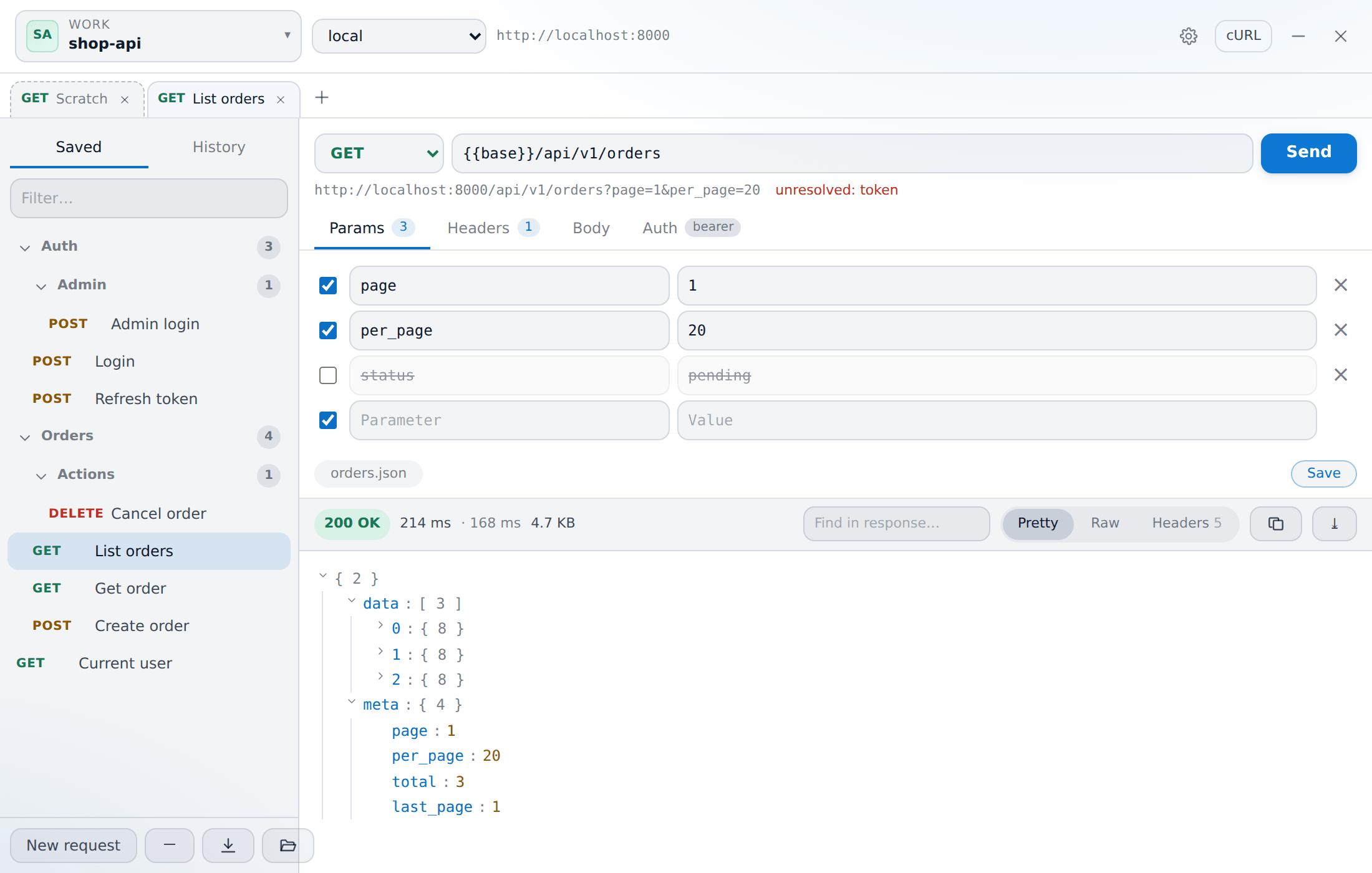
The sidebar turns that into a real tree: folders open and close, remember whether they were open, and a closed folder still shows how many requests are inside it.
The request
- Method and URL, with the real value of every
shown underneath as you type. A variable with no value is marked in red before you send, instead of turning into a 404 you have to work out. - Params and Headers — key/value rows you can switch on and off one by one. A switched-off row is crossed out but kept, so you can turn a filter on and off without typing it again.
- Body — JSON (with a beautify button), form, or none.
- Auth — bearer, basic, or an API key in a header or a query parameter.
The response
The status pill, the total time, the time to first byte, and the size, then the body in one of three views:
- Pretty — a JSON tree with folding and a Find in response filter.
- Raw — the body exactly as it came back.
- Headers — every response header.
You can also copy the body or save it to a file, see how many redirects there were, and get a warning when a very large body was cut short for display.
History
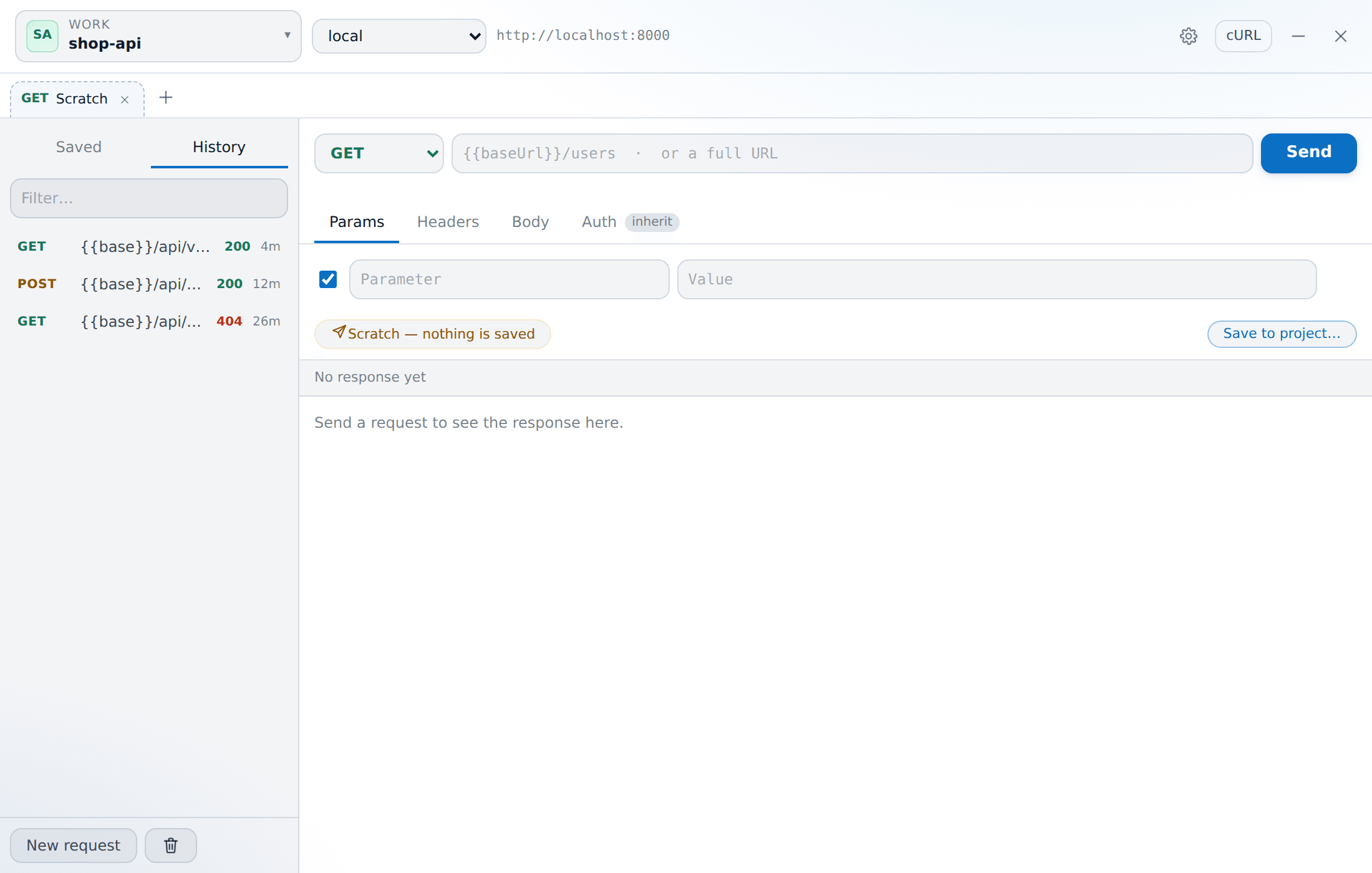
The History tab in the sidebar lists past runs for this project — method, path, status (green or red), duration and time. Clicking one loads it back. Clear history empties it; it is stored in the app data folder, never in your repository.
Import and export
- cURL in and out — paste a
curlcommand to build a request, or export the current one to paste into a terminal or a ticket. - Postman v2.1 import — brings a collection in, nested folders included.
Per-environment TLS
Local HTTPS with a self-signed certificate (.test hosts, Herd, Valet) fails the certificate check. Each environment has its own ignore TLS errors switch, so turning it on for local does not affect prod.
Shortcuts
| Key | Action |
|---|---|
| Ctrl+Enter | Send |
| Ctrl+T | New scratch tab |
| Ctrl+W | Close tab |
| Ctrl+S | Save |