
Reminders
The alarm icon in the panel header. Type what you want to be reminded about, hit a preset, and get on with your day.
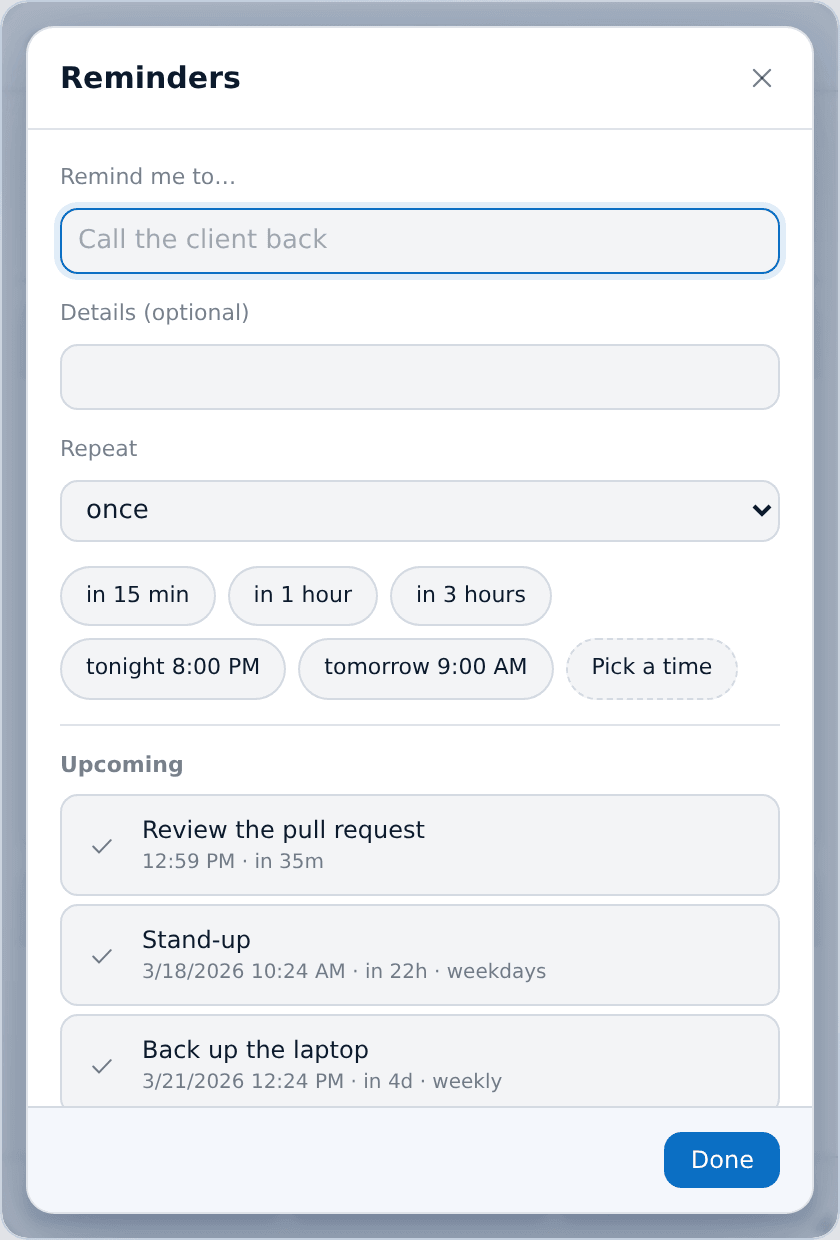
Making one
Presets cover almost everything: in 15 min, in 1 hour, in 3 hours, tonight 20:00, tomorrow 09:00. Pick a time handles the rest.
A reminder can repeat hourly, daily, on weekdays, or weekly — the dropdown says once when it does not.
The Upcoming list shows everything pending with its time and how far off it is. Tick one to complete it, or delete it. Completed ones move to a Done list you can clear.
When one fires
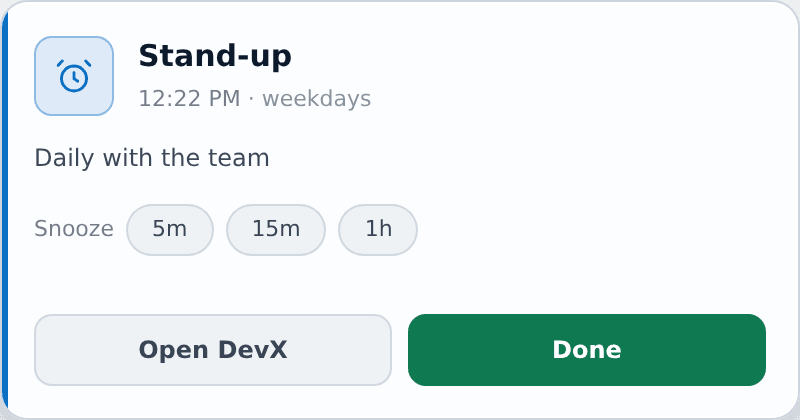
A card appears in the bottom-right corner with Done, Snooze 5m / 15m / 1h, and Open XTop. If several are due at once they wait in a queue instead of replacing each other, and the card tells you how many are still waiting.
Missed reminders
XTop checks for due reminders every 20 seconds, instead of setting a timer for each one. That has three useful effects:
- A reminder due while the computer was asleep appears at the next check after it wakes up.
- A reminder due while the app was closed appears the next time it starts, labelled was due at … so you can tell a late one from a new one.
- A repeating reminder that was missed while the app was off skips the times it missed and goes to the next real one, instead of firing several times in a row to catch up.
Sounds
The reminder chime is separate from the prayer chime and is configured in Settings → Sounds — built-in tone, your own file, or silence.